Registering for Post Packstation Lockers (Empfangsbox)
One of the most universal frustrations of moving to Austria is the dreaded yellow slip left on your door while you were at work or out for a quick grocery run. I still remember my first month in Vienna, spending my Saturday morning trekking to a distant post office just to retrieve a small package I missed by five minutes. Registering for Post Packstation Lockers (Empfangsbox) is the ultimate solution to ensure you never have to play hide-and-seek with your deliveries again.
The Reality of Package Deliveries in Austria
Living in an Austrian city often means residing in a building where the mailboxes are tucked inside a locked foyer. Whether you are in a classic building with high ceilings—detailed in my guide on Altbau vs Neubau: Differences in Rent, Charm, and Heating—or a modern complex, the delivery logistics remain the same. If the post carrier cannot enter the building or if you are not home to buzz them in, your package is diverted.
In many countries, carriers might leave a box on the porch or with a neighbor. In Austria, the "Gelber Zettel" (yellow slip) is the standard protocol. This slip tells you that your package has been taken to the nearest post office or a partner shop. The catch? You usually cannot pick it up until the next working day, and Austrian post office hours can be surprisingly restrictive, often closing before you finish work. By setting up access to a Packstation or an Empfangsbox, you reclaim your time and sanity.
Defining the Terms: Abholstation vs Empfangsbox
Before we dive into the registration process, it is essential to clarify the terminology, as the Austrian Post (Österreichische Post AG) uses several similar-sounding names for their automated systems.
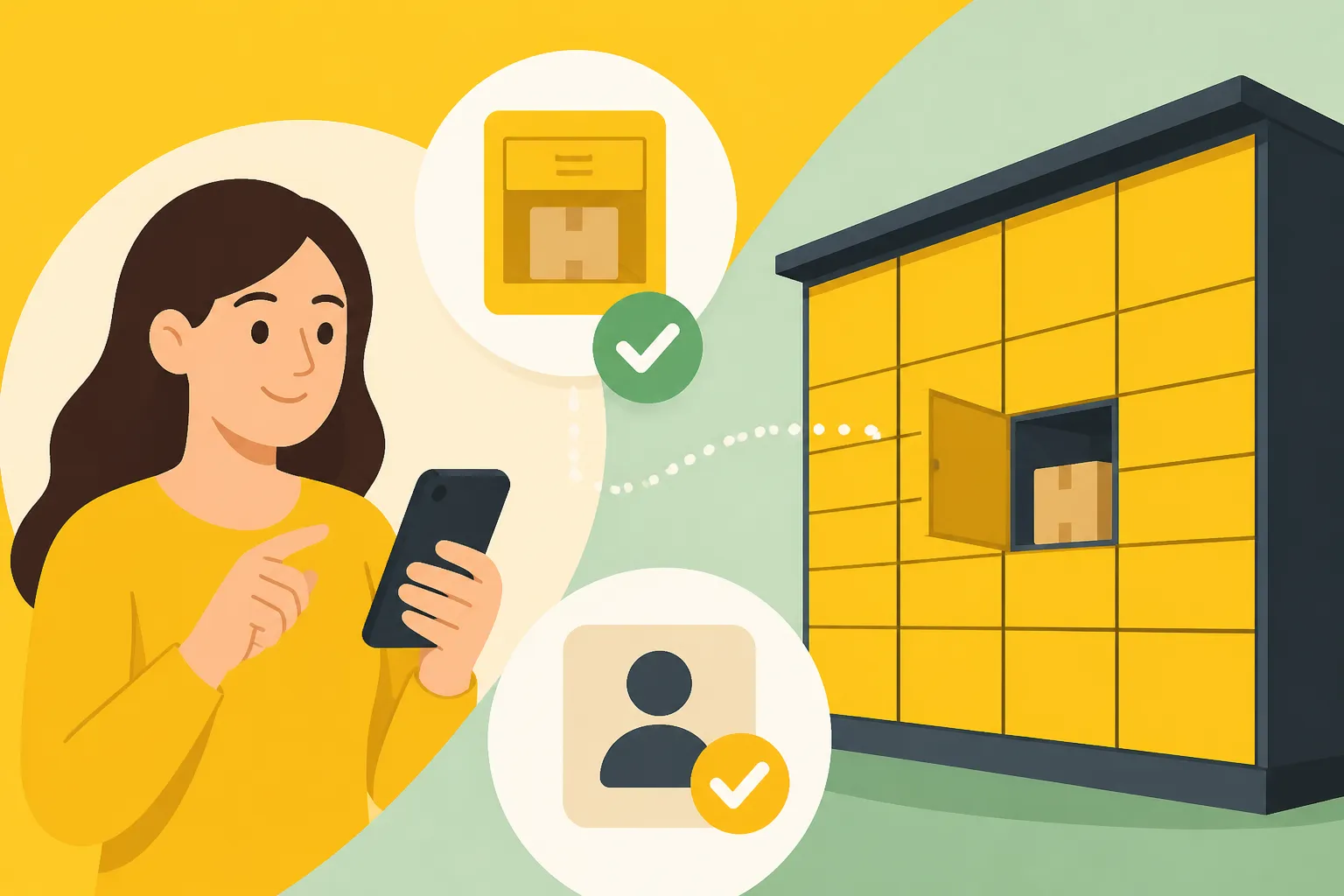
An Abholstation (or Packstation) is a large, yellow locker system usually located in public areas, near supermarkets, or outside post offices. These are accessible 24/7. You can have your packages sent directly here, or if you miss a home delivery, the carrier might drop it off at one of these lockers instead of a post office.
An Empfangsbox, on the other hand, is often located directly within your apartment building's foyer or mail area. These are specifically for the residents of that building. When a carrier has a package for you, they can place it in this secure box, and a notification (either a physical chip or a code) is left in your personal mailbox.
There is also the Post Station, which is a hybrid of a small post office and a locker system, allowing you to not only receive but also send packages and buy stamps at a kiosk. Understanding these differences is the first step in mastering the local infrastructure, which is a key part of managing the Cost of Living in Vienna: Singles vs Families or any other major city.
Step 1: Creating Your Post.at Account
The foundation for all modern postal services in Austria is a verified account on the official website or the Post App. This is not just a simple email signup; because the Post handles sensitive documents, they require a higher level of verification.
To start, visit the Post.at website or download the "Post App" from your app store. You will need to provide your basic details, including your full name and your registered address. It is vital that your name matches exactly how it appears on your official residence registration. If you haven't completed that yet, refer to my guide on The Meldezettel Process: Registering Your Address Legally to ensure your paperwork is in order.
Once you have entered your details, you will need to verify your identity. In the past, this involved waiting for a physical letter with a code, but today, the most efficient way is using ID Austria and E-Government Tools for Foreign Residents. By linking your Post account with your ID Austria, you gain immediate access to all digital services, including the ability to manage your lockers and redirect mail.
Step 2: Registering for the Abholstation (Packstation)
Once your account is verified, you can set up your "Wunsch-Abholstation" (Preferred Collection Station). This is a game-changer for anyone who isn't home during the day.
- Log in to the Post App or Website: Navigate to the settings or "My Services" section.
- Search for a Station: Use the map tool to find a Packstation that is convenient for you. It might be the one right next to your U-Bahn stop or the one outside your local Billa or Spar.
- Set as Default: You can choose to have all eligible packages automatically redirected to this station. This is particularly useful if you know you are never home during delivery hours.
- The Delivery Address: When ordering online, you don't use your home address. Instead, you use a specific format that includes your name, your "Post Number" (a unique ID found in your app), and the address of the Packstation.
Using this method means your package is tucked safely in a locker the moment the carrier reaches that location, and you receive a push notification with a QR code or pick-up pin immediately. This level of organization is as essential for newcomers as Moving to Austria with Family: Schools and Logistics.
Step 3: Setting Up and Using the Empfangsbox
If your building is lucky enough to have a built-in Empfangsbox, the process is slightly different and even more convenient. These lockers are designed to save the carrier from having to climb stairs or leave packages in common hallways where they might go missing.
Usually, when a package is placed in a building's Empfangsbox, the carrier puts a small "electronic key" (a yellow plastic chip) or a paper slip with a barcode into your personal mailbox. You take this chip to the locker unit in your lobby, hold it against the reader, and your assigned locker door pops open.
If your building has a newer digital system, you might not even need a physical chip. You can simply use the Post App to "unlock" the box via Bluetooth or a scanned code. If you find yourself frequently receiving packages, I highly recommend also Setting Up HoT (Hofer Telekom) Mobile Service Quickly or a similar local mobile plan, as the SMS alerts for these boxes are incredibly reliable and keep you updated in real-time.
Comparison of Receiving Options in Austria
To help you decide which service fits your lifestyle, I have put together a comparison of the most common ways to handle your parcels.
| Service Type | Location | Accessibility | Best For |
|---|---|---|---|
| Home Delivery | Your Door | During Working Hours | Large furniture or heavy items |
| Abholstation | Public Areas / Supermarkets | 24/7 | Commuters and busy professionals |
| Empfangsbox | Apartment Building Lobby | 24/7 (Resident only) | Secure, hyper-local receiving |
| Post Office | Local Branch | Limited (e.g., 8:00 – 18:00) | Packages requiring ID verification |
| Post Partner | Shops / Gas Stations | Varied (often better than PO) | Neighborhood convenience |
Advanced Strategies: Redirection and EverythingPost
Once you are comfortable with the basics, you can explore "AllesPost" (EverythingPost). This is a premium service provided by the Austrian Post that allows you to have packages from other carriers (like UPS, DPD, or Amazon Logistics) delivered to your Post account instead.
Since these other carriers don't always have access to the Post's specialized Packstations or building Empfangsboxes, they often leave packages in less secure locations. By using a special AllesPost address, those carriers deliver to a central Post hub, which then brings the package to your preferred Post locker. It adds a small cost, but for the peace of mind of having everything in one place, it is often worth it.
If you happen to miss a delivery that wasn't redirected, don't panic. You can find out exactly where your item went by following the steps in Missed a Post.at Delivery? Where to Find Your Yellow Slip. Sometimes, you can even use the app to request a second delivery attempt on a day you know you will be home.
Troubleshooting Common Registration Issues
Registering for Post Packstation Lockers (Empfangsbox) isn't always a perfectly smooth ride for expats. Here are a few "I've-been-there" tips for when things go wrong:
- The Name Mismatch: If your name on an incoming package is "Jon Doe" but your Post.at account is registered as "Jonathan Doe," the system might fail to link the delivery to your app. Always use your official name for orders.
- The Address Formatting: Austria has a very specific way of writing addresses. If you get it wrong, the automated sorting machines at the Post might reject the redirection. Make sure you are Correctly Formatting an Austrian Address for International Mail every single time.
- The "Full" Locker: During peak seasons like Christmas, Packstations can fill up. If your "Wunsch-Abholstation" is full, the Post will divert your package to the nearest post office. This is annoying, but the app will at least notify you immediately so you don't waste a trip to the locker.
- Technical Glitches: The Post App is generally good, but if it fails to show your QR code, check your email. The Post almost always sends a backup collection code to your registered email address.
Final Advice for New Residents
Mastering the postal system is a rite of passage for anyone living in Austria. It represents a shift from being a "visitor" who is confused by the yellow slips to an "insider" who effortlessly scans a QR code at a locker while walking home from work.
While the registration process requires a bit of initial effort—especially the identity verification via ID Austria—the payoff is immense. You will save hours of time every month and avoid the frustration of the "post office dash" before they close on a Friday afternoon. Take the twenty minutes today to set up your account; your future self, especially during the cold winter months when you really don't want to be trekking across town for a parcel, will thank you.
Disclaimer
This guide is intended for informational purposes only. While every effort has been made to ensure the accuracy of the information provided regarding the Austrian Post services and registration processes as of 2026, rules and digital interfaces are subject to change. Please consult the official Post.at website for the most current terms of service and technical requirements.